


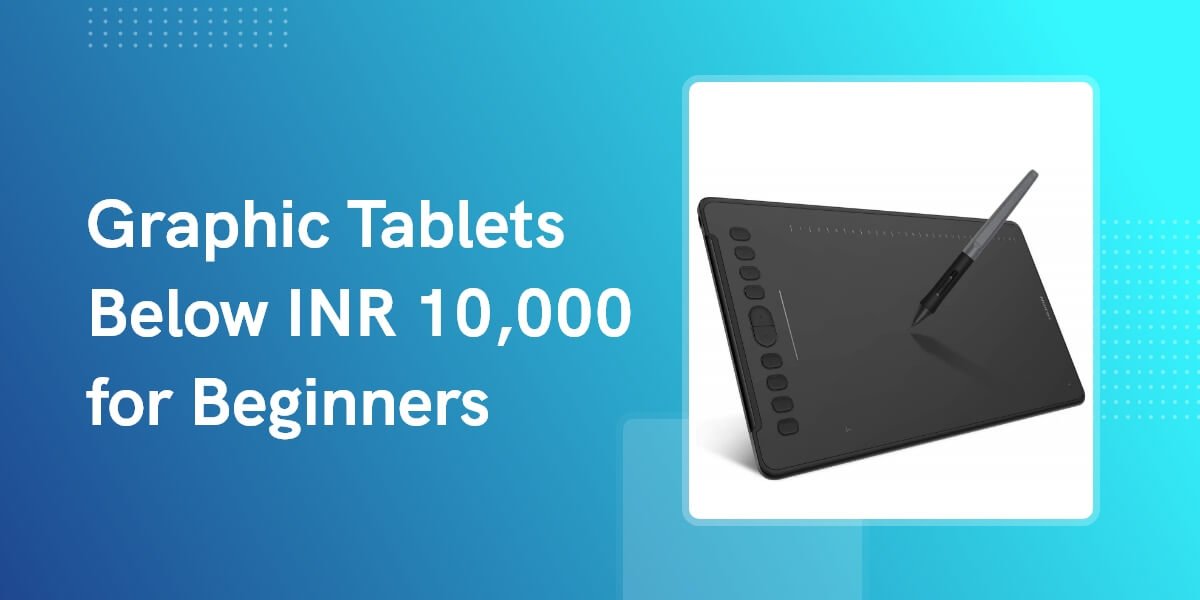
You do not need an expensive pen display to begin digital painting. A reliable screenless graphic tablet, a laptop or desktop, and software such as Photoshop or Krita are enough to learn sketching, line work, colour and rendering.
Before you buy: Every model in this guide is a screenless pen tablet. It must be connected to a compatible computer or Android device, and you draw on the tablet while looking at that device’s screen. These are not standalone tablets like an iPad.
The short answer
If you do not want to compare every specification, start with these three recommendations.
Quick comparison
Specifications were checked against official manufacturer pages. Retail prices are snapshots and may change with stock, sales and seller.
| Model | Active area | Pressure | Tilt | Keys | Checked price | Best for |
|---|---|---|---|---|---|---|
| XPPen Deco 01 V3 | 10 × 6.25 in | 16,384 | 60° | 8 | ₹6,499 | Best overall |
| XPPen Deco Mini 7 V2 | 7 × 4.37 in | 16,384 | 60° | 8 | ₹3,699 | Compact all-round use |
| HUION HS610 | 10 × 6.25 in | 8,192 | 60° | 12 + 16 soft | ₹4,395* | Large area + touch ring |
| Huion Inspiroy H950P | 8.7 × 5.4 in | 8,192 | 60° | 8 | ₹3,395* | Balanced medium size |
| Wacom Intuos CTL-4100/K0-CX | 6 × 3.7 in | 4,096 | No | 4 | ₹3,700* | Compact Wacom option |
| XPPen Deco 640 | 6 × 4 in | 16,384 | 60° | 8 | ₹2,999 | Portable value |
| XPPen Star G640 | 6 × 4 in | 8,192 | No | 6 | ₹2,699 | Tight budgets |
Price note: Prices marked * came from live Indian retailer listings; the others came from the official XPPen India store. Always confirm final price, seller, warranty and return policy before ordering.
Which tablet should you actually buy?
The “best” tablet depends more on workspace size, shortcut controls and driver support than on the biggest pressure-sensitivity number.
XPPen Deco 01 V3
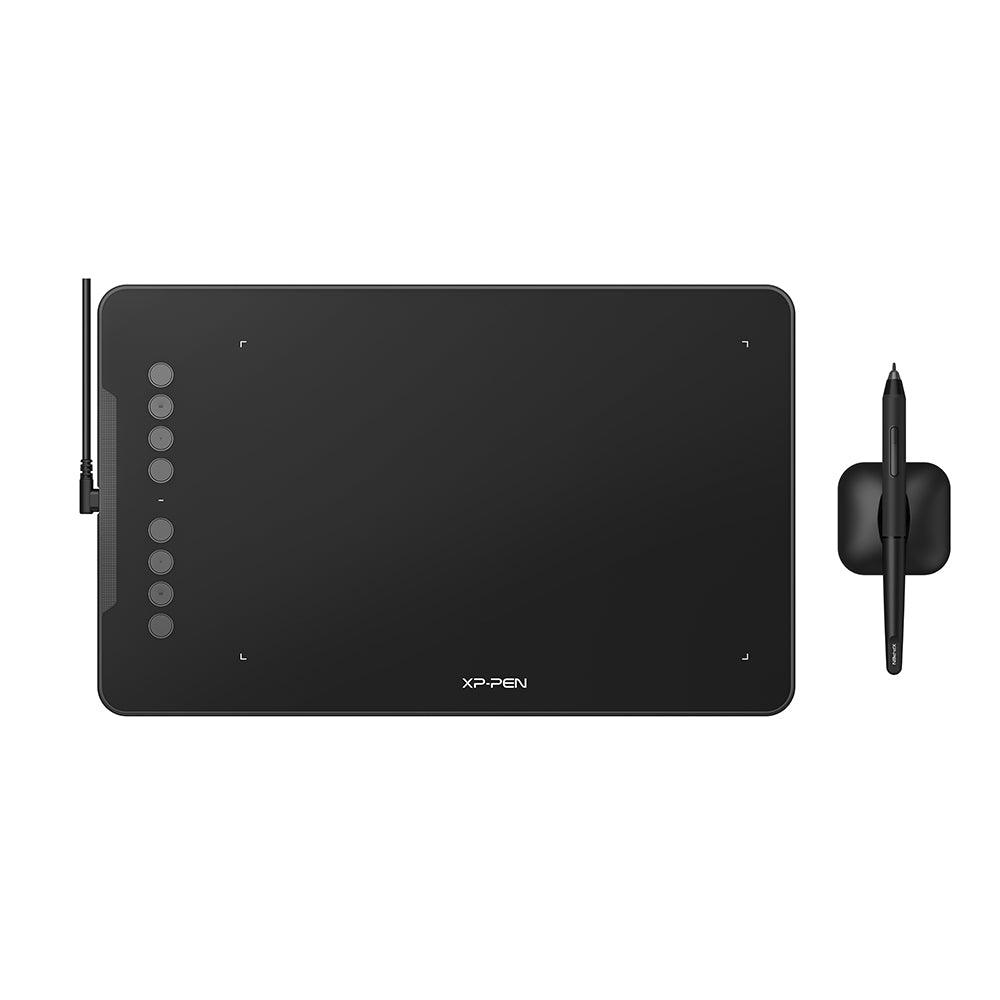
The Deco 01 V3 is our best overall recommendation for beginners who can spend a little more. The 10 × 6.25-inch area maps comfortably to laptop and desktop displays, while 60° tilt, eight shortcut keys and wide operating-system support leave room to grow beyond basic exercises.
- Comfortable large active area
- Modern pressure and tilt support
- Protective film and drawing glove included
- Costs more than several capable beginner options
- Needs more desk space
- Still screenless and requires a connected device
XPPen Deco Mini 7 V2
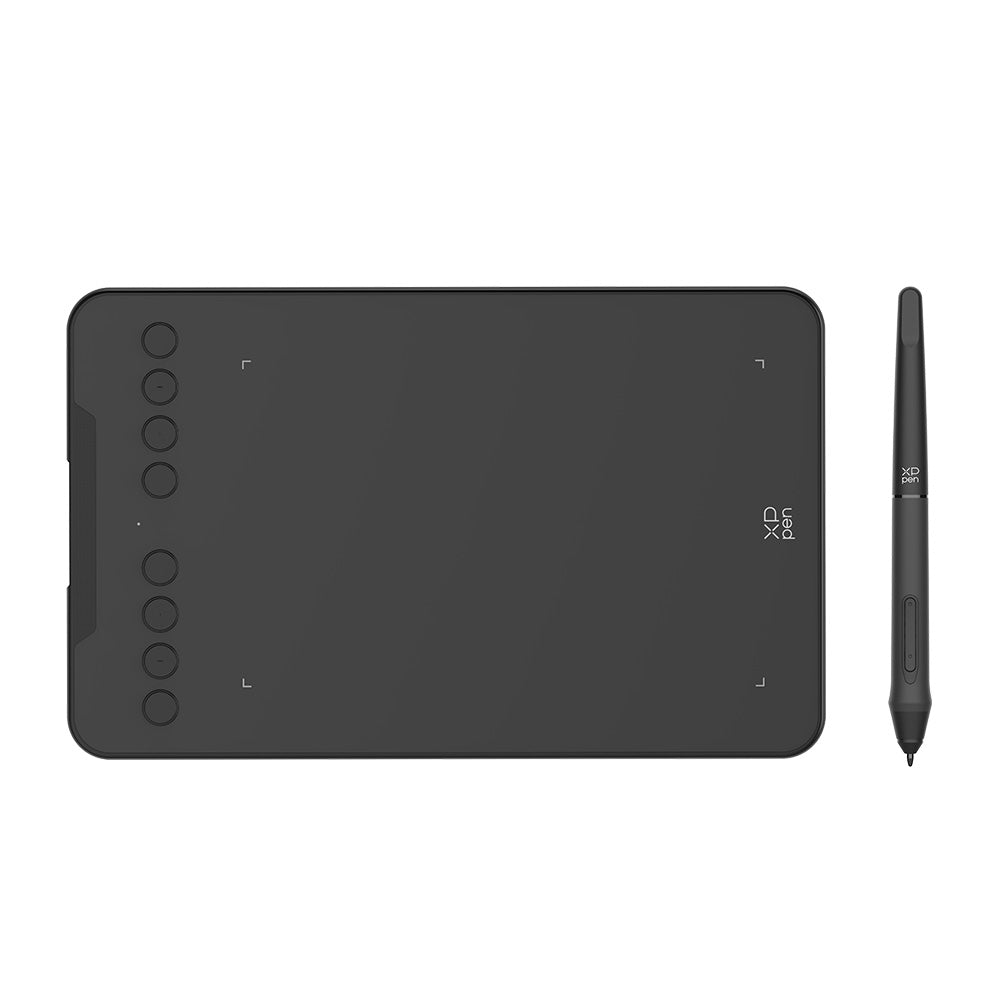
The Deco Mini 7 V2 strikes a useful balance between portability and drawing space. Its 7 × 4.37-inch area is roomier than a typical small tablet, and it includes 60° tilt, eight shortcut keys, Android support and a battery-free pen.
- Good middle ground between small and medium
- Modern pen features at a modest price
- Portable and left-hand friendly
- Smaller than the 10-inch options
- Wired connection only
- Mobile compatibility depends on supported apps
HUION HS610
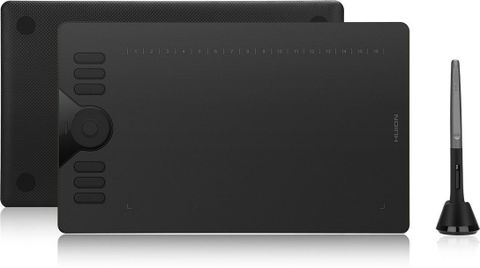
The HUION HS610 combines a roomy 10 × 6.25-inch drawing area with 12 physical shortcut keys, 16 programmable soft keys and a touch ring for zooming, scrolling or changing brush size. Its battery-free PW100 pen supports 8,192 pressure levels and ±60° tilt, making it a versatile option for Photoshop users who prefer controls on the tablet.
- Large, comfortable 10-inch drawing surface
- Touch ring plus extensive shortcut controls
- Supports Windows, macOS, Android and Linux
- Large footprint requires more desk space
- Micro-USB rather than USB-C
- Retail price and stock can fluctuate
Huion Inspiroy H950P
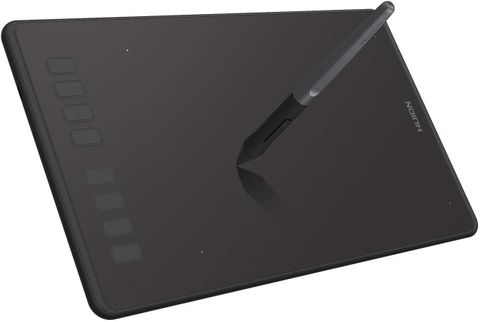
The Huion Inspiroy H950P offers a useful middle ground between compact and full-size tablets. Its 8.7 × 5.4-inch active area gives beginners more room for controlled strokes, while the battery-free PW100 pen provides 8,192 pressure levels, ±60° tilt and eight programmable shortcut keys.
- Comfortable medium-size drawing area
- Tilt support and eight shortcut keys
- Supports Windows, macOS, Android and Linux
- Micro-USB rather than USB-C
- Wired connection only
- Android experience depends on the device and app
Wacom Intuos CTL-4100/K0-CX
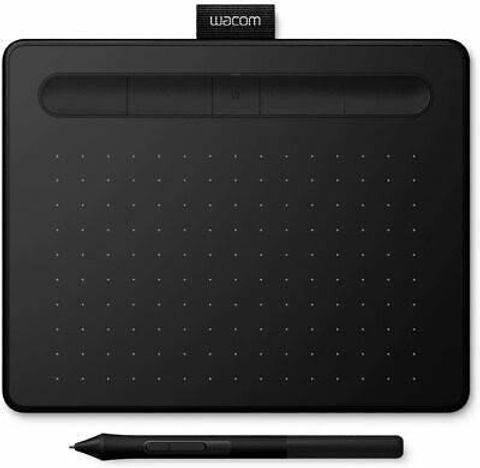
The wired Wacom Intuos Small CTL-4100/K0-CX is a compact option for learners who value Wacom’s mature driver ecosystem. Its 6 × 3.7-inch active area, battery-free Pen 4K and four customisable ExpressKeys provide a clean, dependable setup without Bluetooth or charging.
- Compact, lightweight and left-hand friendly
- Battery-free Wacom Pen 4K
- Four application-specific ExpressKeys
- No tilt support
- Small area may feel cramped on larger monitors
- This CTL-4100 version does not include Bluetooth
A tablet is only the tool. Learn what to do with it.
Join Artma’s free digital painting workshop and understand the beginner workflow—from setting up Photoshop to completing your first structured exercise.
Reserve your free spot →XPPen Deco 640
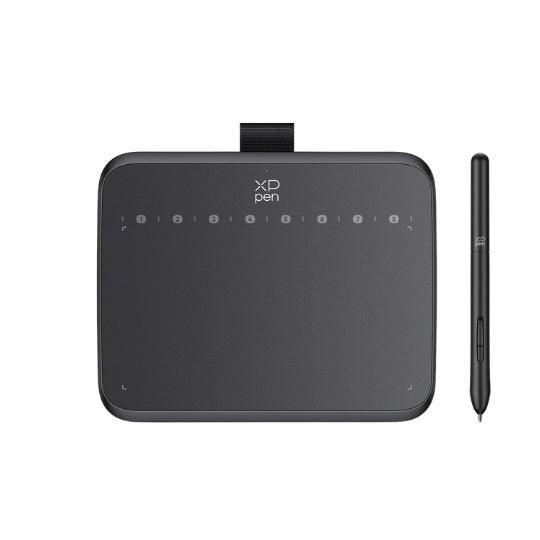
For only a little more than the Star G640, the newer Deco 640 adds 60° tilt support, eight shortcut keys, USB-C and broader operating-system support. It is the strongest compact option in this list if you want a portable tablet without giving up modern pen features.
- Excellent feature-to-price ratio
- Eight shortcut keys and tilt support
- Lightweight USB-C design
- Still a compact 6 × 4-inch area
- Pressure-level advantage is less important than pen control
- Android experience varies by app and device
XPPen Star G640
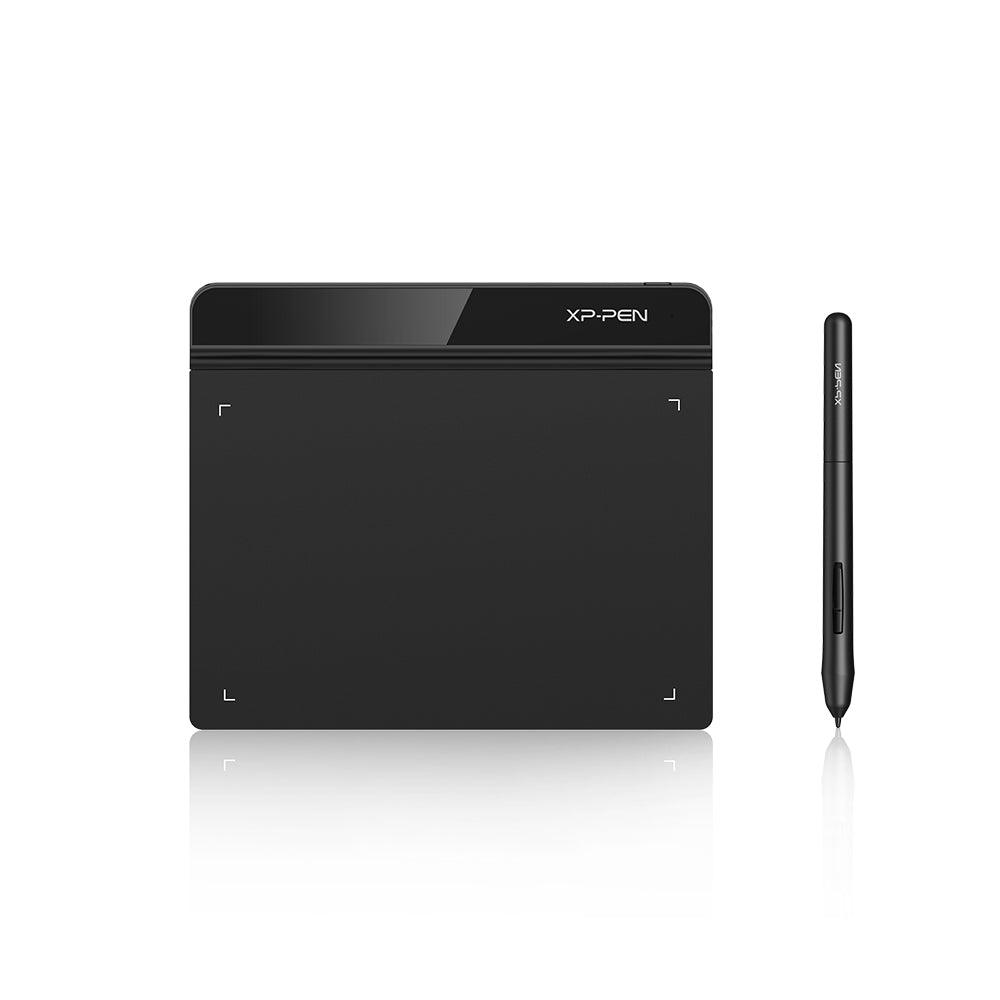
The Star G640 is the sensible choice when your main goal is to start practising without spending much. Its 6 × 4-inch surface is compact but usable, the battery-free pen supports 8,192 pressure levels, and the six shortcut keys cover common actions such as undo, brush size and zoom.
- Affordable first step into digital art
- Compact and easy to carry
- Six customisable shortcut keys
- No tilt support
- Small area can feel cramped on a large monitor
- Older connector design than newer Deco models
How to choose your first graphic tablet
Do not choose by pressure levels alone. These four factors have a greater effect on everyday use.
1. Active area
A 6 × 4-inch surface is portable and affordable. A 10 × 6-inch surface gives your arm more room and usually feels better with larger monitors. Choose the largest size that fits your desk comfortably.
2. Driver compatibility
Confirm support for your exact Windows, macOS, Linux, ChromeOS or Android version before buying. If you use Photoshop, install the manufacturer’s current driver rather than relying only on plug-and-play behaviour.
3. Shortcut controls
Express keys are useful for undo, brush size, zoom and canvas rotation. They are convenient, not essential—you can use keyboard shortcuts instead if you prefer a simple tablet.
4. Warranty and seller
Buy from the official India store or a reputable authorised retailer. Check the seller name, replacement policy and local warranty instead of selecting only the cheapest marketplace listing.
Our final recommendation: Choose the XPPen Deco 01 V3 if you want one tablet that can comfortably support several years of learning. Choose the XPPen Deco Mini 7 V2 for a compact all-rounder, the HUION HS610 for a large area with extensive controls, or the Huion Inspiroy H950P for a balanced medium-size surface. Choose the Wacom Intuos CTL-4100/K0-CX if you prefer Wacom’s compact wired setup. The XPPen Deco 640 remains a strong value choice near ₹3,000, while the XPPen Star G640 is the lowest-cost starting point.
Frequently Asked Questions
Can I use these tablets without a laptop or computer?
No. These are screenless input devices, not standalone tablets. Most are designed for a Windows or macOS computer; several also support compatible Android devices. Check the exact OS and app support before buying.
Is 16,384 pressure sensitivity necessary for a beginner?
No. Even 2,048 levels are enough to learn digital painting. Pen stability, driver quality, surface size and your ability to control pressure matter more than the maximum number printed on the box.
Do these tablets work with Photoshop?
Yes, the listed models support Photoshop on compatible desktop operating systems after the correct manufacturer driver is installed. Photoshop itself is not included with the tablet unless a specific promotion says otherwise.
Should I buy a small or medium tablet?
Small tablets suit limited desks, travel and lower budgets. Medium or large tablets are more comfortable for broad strokes and larger monitors. For most learners using a laptop, either can work; comfort and available desk space should decide.
Can I connect a graphic tablet to an iPad?
Generally, no. Do not assume a USB adapter will make a desktop pen tablet work with an iPad. Buy an Apple Pencil-compatible iPad setup if iPadOS is your intended drawing platform, unless the manufacturer explicitly supports your exact model and app.
Verification and editorial note
This article was fact-checked on 23 July 2026. Product features came from manufacturer pages; starred prices came from live Indian retailer listings. Prices, stock, bundles and OS support can change, so readers should re-check the linked page before purchase.
Bought Your First Tablet? Now Learn to Paint With It.
Join Artma’s beginner-friendly digital painting workshop and learn the right workflow with live guidance.
Book your free workshop →