


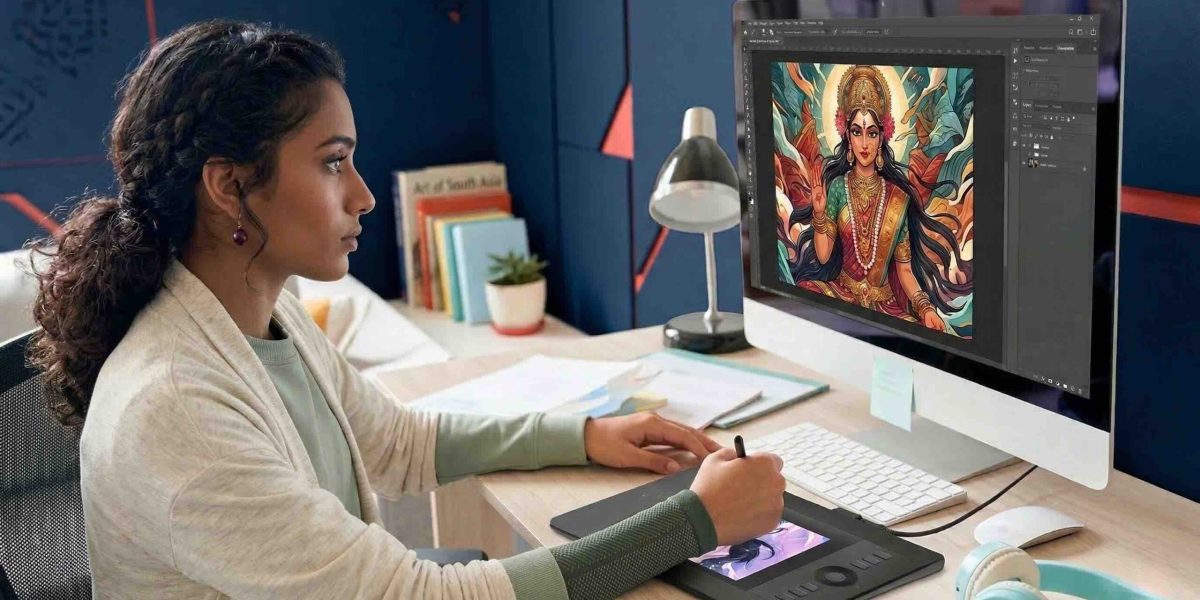
From Behance and ArtStation to Squarespace, Pixpa, Wix, and WordPress — here’s how to choose the right home for your art and career goals.
Heads up: Some links in this post are affiliate links — marked with ↗. If you sign up through them, Artma earns a small commission at no extra cost to you. We only recommend tools we've tested with students.
Here's a situation that happens more than you'd think. A talented artist has strong work and consistent output, but when a potential client asks for a portfolio link, their work is scattered across social media. The opportunity becomes harder to pursue.
The right portfolio platform gives your best work a clear, professional home. This guide compares where artists can host their online portfolios, what each option is best for, and which features matter before you choose.
Social media is genuinely useful. But it has one fundamental problem: you don't control how your work is organised or shown. Algorithms change, platforms go down, and accounts get restricted. A dedicated portfolio gives clients one reliable place to view your strongest work without distractions.
When a book publisher, game studio, or brand is evaluating whether to commission you, they often search your name or ask for a portfolio link. A focused portfolio signals that you take your practice seriously and makes your work easier to review.
Some portfolio hosts also support search visibility, custom domains, and built-in creative communities. The best choice depends on whether you value discovery, ease, visual control, client tools, selling, or long-term flexibility most.
"Social media helps people discover you. A focused portfolio helps them understand and hire you."
There is no single best platform for every artist. Use these five questions to narrow the options according to your work, audience, budget, and career goals.
ArtStation and Behance have built-in creative communities, while a dedicated portfolio builder gives you a more focused link to share directly with clients.
Adobe Portfolio and ArtStation keep things simple. Squarespace, Pixpa, and Format offer polished templates, while Cargo, Wix, and WordPress allow more layout flexibility.
Illustrators may need strong image galleries, concept artists may benefit from ArtStation's industry audience, and client-based artists may need private proofing or approval galleries.
Your platform should support projects with images, captions, and context—not just a stream of individual posts. For curation guidance, read this blog.
Consider whether you need a contact form, shop, commissions page, blogging, client proofing, analytics, or password-protected galleries. Not every artist needs every feature.
Compare the full annual cost, renewal pricing, custom-domain support, mobile display, and how easy it is to update projects. A simpler portfolio you maintain is more useful than a powerful platform you avoid.

There are more options than most people realise — and the right one depends on what kind of artist you are and what you need your portfolio to do. Here's an honest breakdown across three categories.
Adobe Portfolio is included with any Creative Cloud subscription and pulls your Behance projects automatically. Clean, fast, and zero extra cost if you're already paying for CC. Customisation is limited, but nothing gets you live faster.
Pick this if: you use Adobe apps and need something live today without spending more money. Create your Adobe Portfolio →
The community platform for concept artists, game artists, and illustrators. Clients actively browse ArtStation for talent — so beyond being a portfolio, it functions as a discovery channel. Less customisable than a standalone site, but the built-in audience is genuinely valuable.
Pick this if: you want game studios, animation houses, or publishers to find you organically. Create your free ArtStation portfolio →
The cleanest templates for image-heavy portfolios. Every layout looks considered without any effort on your part. Built-in shop, contact forms, SEO tools, and mobile-ready out of the box. Around ₹1,200–₹1,800/month after a free 14-day trial.
Pick this if: you want a polished, professional result with minimal effort. Start your free Squarespace trial →
India-based, built specifically for photographers and artists. Squarespace-level design quality at a significantly lower price point — from ₹250/month. Includes a client gallery and shop, rupee pricing, and Indian customer support. Underrated for this market.
Pick this if: you want Squarespace quality at a lower price point, or prefer a platform with Indian support. Try Pixpa free for 15 days →
Built exclusively for creative professionals. Minimalist templates that let the work breathe, plus a client proofing gallery for review and approval workflows — useful if you work with clients who need to sign off on pieces before delivery.
Pick this if: you do client work that involves review rounds and approval flows. Try Format free →
Beloved by designers and illustrators who want more creative control over layout. Less beginner-friendly, but produces genuinely distinctive-looking sites with a strong community of artists behind it. Around ₹800/month.
Pick this if: visual originality matters as much as ease, and you're willing to spend a few hours learning the editor. Explore Cargo →
Drag-and-drop flexibility — you can place anything anywhere. More powerful than Squarespace for custom layouts. The free plan shows Wix branding in your URL; upgrade for a custom domain when you're ready.
Pick this if: you like tinkering and want full layout freedom on a budget. Start free on Wix →
The most powerful combination if you want complete control. WordPress handles the content, Hostinger handles the hosting — very affordable and reliable in India, from ₹149/month. The steepest learning curve of all options listed here.
Pick this if: you plan to blog seriously alongside your portfolio, or want to scale into a course or shop down the line. Get Hostinger hosting →
A domain — yourname.com — costs ₹800–₹1,500 a year and can make your portfolio feel more professional. Check whether your chosen platform supports a custom domain and whether it is included in the plan price.
What makes a good domain: your real name, short and speakable, no hyphens or numbers, .com first (then .in or .art as backup). If you have to spell it out over the phone, it's too complicated.
| Registrar | Best for | Approx. cost / yr |
|---|---|---|
| Namecheap ↗ Affiliate | Most artists — clean dashboard, good prices, free WHOIS privacy | ₹900–₹1,200 |
| Hostinger ↗ Affiliate India-friendly | If you're also hosting with them (WordPress users) — bundles domain + hosting cheaply | ₹700–₹1,000 |
| BigRock India-based | Local rupee pricing and Indian support — good if you want to pay and get help in India | ₹800–₹1,100 |
| GoDaddy ↗ Affiliate | Widely recognised and easy for beginners — check renewal pricing before you buy | ₹900–₹1,500 |
One watch-out: Some registrars offer a very low first-year introductory price that jumps significantly on renewal. Always check the renewal rate — not just the first-year offer — before committing.
Whatever platform you choose, make sure it can clearly support these three essentials.
You may later want a commissions page or shop, so check whether your chosen platform supports them. Click here to read the full blog on writing a commissions page.
It's choosing a platform or template that puts decoration before the artwork.
Whichever host you choose, a visitor should quickly understand who you are, see work that interests them, and know what to do next. Look for layouts that keep your images prominent and your navigation simple.
A homepage headline that works looks like this:
None of these are trying to be clever. They're just clear. And clear converts better than clever, every time. Your best three or four pieces should be visible without scrolling, followed by one specific next step: "View full portfolio" or "Commissions open — get in touch."
"Don't make a client work to figure out if you're worth their time. Show them in the first scroll."
Before committing to a portfolio host, check whether it can support the experience you want to give clients and viewers.

Your portfolio home can change as your career grows. Choose the platform that fits your needs now, keep your strongest work current, and move to a more flexible option only when you genuinely need it.
If you're still developing the body of work you want in this portfolio, Artma's Complete Digital Painting Program is designed for exactly this stage — creating work you're proud to show, faster.
Read Also
Your portfolio is only as strong as the work in it. Artma's free live upcoming workshop takes beginners to commission-quality work in months — not years.
Reserve Your Free Spot →